
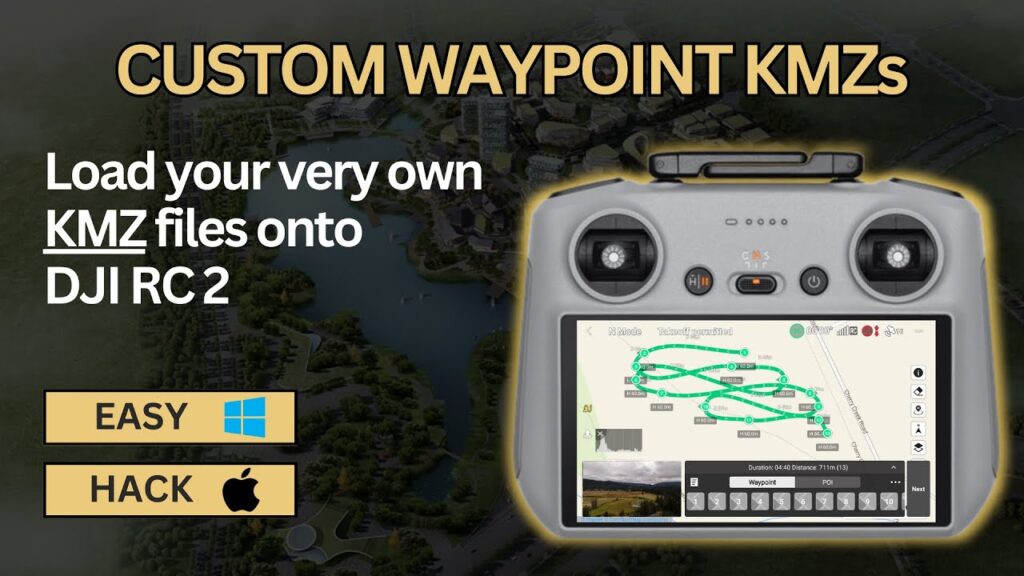
Precision in the Palm of Your Hand: Mastering KMZ Installation for DJI Waypoint Missions
Waypoint mapping with DJI drones transforms complex aerial data collection into streamlined, repeatable missions. Imagine the ability to pre-plan intricate flight paths, ensuring precise data capture for everything from infrastructure inspections to agricultural surveys. The key to unlocking this precision often lies in leveraging KMZ files – a powerful format for importing detailed waypoint missions directly into your DJI flight control app. But navigating the installation process can sometimes feel like deciphering a complex flight manual. Are you struggling to get your meticulously planned KMZ missions airborne? Do cryptic error messages leave you grounded? You’re not alone. Many pilots encounter hurdles when integrating KMZ files into their DJI workflows. The good news is, mastering KMZ installation is entirely achievable, and the payoff in terms of mission efficiency and data accuracy is significant. Let’s cut through the confusion and explore the essential steps to seamlessly install KMZ files, ensuring your DJI drone flies exactly where you need it, every time.
Key Insights to Elevate Your Waypoint Missions
-
KMZ Files: Your Flight Plan Blueprint: Think of KMZ files as detailed blueprints for your drone’s flight path. These files, often created in tools like Google Earth, encapsulate geographic data that DJI apps can interpret to execute precise waypoint missions. Videos emphasize the critical advantage of KMZ files in moving beyond basic point-to-point flights to complex, pre-visualized routes. This pre-planning significantly reduces in-field adjustments and enhances mission repeatability – crucial for consistent data acquisition.
-
App Compatibility is Paramount: Not all DJI apps are created equal when it comes to KMZ compatibility. Videos consistently highlight the importance of verifying your specific DJI application (e.g., DJI Pilot, DJI GS Pro, or third-party mission planning apps) supports KMZ import. Confusion often arises because older apps or consumer-grade apps may lack this functionality. Pilots need to confirm compatibility before investing time in KMZ creation to avoid workflow roadblocks.
-
Installation Methods: Drag-and-Drop vs. In-App Import: YouTube tutorials demonstrate various methods for installing KMZ files. The simplest, often highlighted for its user-friendliness, is the "drag-and-drop" method. This typically involves connecting your mobile device (running the DJI app) to a computer and directly transferring the KMZ file into the designated app folder. Alternatively, some apps offer a direct "import" function within the application itself, allowing you to browse your device’s file system and select the KMZ file. Videos stress understanding your app’s specific installation pathway is key to a smooth process.
-
Coordinate Systems and Accuracy: The Devil is in the Details: A recurring theme in instructional videos is the critical importance of coordinate systems. KMZ files rely on geographic coordinates (latitude and longitude). Mismatches between the coordinate system used in KMZ creation (e.g., WGS84) and the app’s interpretation can lead to significant positional errors in your flight path. Experienced pilots in videos emphasize double-checking coordinate system settings in both your KMZ creation tool and your DJI app to ensure accurate waypoint placement and mission execution. Failing to verify coordinate systems is a primary source of waypoint inaccuracy and mission failure.
-
Troubleshooting Common Installation Hurdles: Videos address common problems encountered during KMZ installation, such as file format errors, incorrect file placement, and app recognition issues. Troubleshooting tips often include:
- File Format Verification: Ensuring the file is indeed a
.kmzand not a similarly named but incompatible format. - Correct Folder Placement: Confirming the KMZ file is placed in the precise folder directory required by the DJI app (often within a designated "missions" or "waypoint" folder).
- App Restart: Sometimes, simply restarting the DJI app after file transfer can resolve recognition issues.
- Device Compatibility: Checking for any operating system or device compatibility limitations with the DJI app and KMZ import function.
- File Format Verification: Ensuring the file is indeed a
Beyond Installation: Optimizing KMZ Workflow for Peak Performance
Successfully installing a KMZ file is just the first step. To truly maximize the benefits of waypoint mapping, consider these points gleaned from expert pilot demonstrations:
-
Pre-Flight Visualization: Before launching, thoroughly review the imported waypoint mission within the DJI app. Virtually "fly" the mission on the app’s map interface to confirm waypoint placement, altitude settings, and overall flight path accuracy. This pre-flight visualization is crucial for identifying potential errors or adjustments needed before actual flight.
-
Terrain Awareness: KMZ files define horizontal flight paths, but terrain variations are a critical factor in real-world missions. Advanced pilots recommend using terrain data overlays (if available in your planning tools) to ensure safe altitude planning and avoid obstacles. Always maintain visual line of sight and adhere to safe operating altitudes.
-
Battery Management and Mission Segmentation: Complex waypoint missions can be lengthy and demanding on battery life. Plan your missions with battery limitations in mind. Consider segmenting larger missions into smaller, manageable flights to ensure safe returns and prevent unexpected battery depletion mid-mission.
From Ground to Air: Seamless KMZ Integration
Mastering KMZ installation is not just a technical skill; it’s about unlocking a more efficient, precise, and professional approach to drone operations. By understanding the nuances of file formats, app compatibility, and installation methods, you can confidently leverage KMZ files to elevate your waypoint missions and achieve superior aerial data acquisition. Ready to take your DJI waypoint mapping to the next level? Scroll down to explore curated video highlights that will visually guide you through the KMZ installation process and empower you to take command of your drone’s flight path with unparalleled precision.
The videos await below
About the Author
